
Build conditional checklists ✓
Track with certainty ✓
Reset with confidence ✓

Daily LivingMorning Routine:
Medication ✓
Breakfast ✓
Check locks ✓
→ ResetLeaving Home:
Keys ✓
Wallet ✓
Phone ✓
Lights off ✓
Door locked ✓
→ ResetWork & ProductivityProject Templates:
Conditional steps based on project type ✓
→ ResetMeeting Prep:
Adaptive checklist based on meeting type ✓
→ ResetEnd-of-Day:
Set tomorrow's priorities ✓
Clear desk ✓
Save work ✓
→ ResetHealth & WellnessMedication Tracking:
Meds taken (recurring alarm) ✓
→ ResetExercise Routines:
Different workouts ✓
Conditional equipment needs ✓
→ ResetSymptom Monitoring:
Track OCD ✓
Anxiety symptoms with timestamp proof ✓
→ ResetSpecial SituationsTravel Prep:
Conditional items based on destination/duration ✓
→ ResetEmergency Protocols:
Clear steps for anxiety attacks or OCD spikes ✓
→ ResetExposure Exercises:
Track ERP progress with therapist ✓
→ Reset
Getting Started
Welcome to yCheck, your all-in-one app for building powerful, flexible checklists with reminders, dependencies, sub-items, folders, and an AI assistant to help you brainstorm. This tutorial walks you through the core features step-by-step so you can get the most out of the app.Whether you’re organizing a trip, planning a project, or keeping track of daily routines, yCheck helps you think clearly and act confidently.
• Bottom tabs:
• Favorites: Your starred checklists for quick access.
• Folders: Organize related checklists by theme (e.g., Work, Home, Travel).
• Checklists: All your lists in one place.
• Search: Find reminders, templates, and manage global reminder settings.• Edit mode: Tap Edit in the top-right of many screens to reorder, bulk-select, or perform batch actions.
Favorites

• Bottom tabs:
• Favorites: Your starred checklists for quick access.
• Folders: Organize related checklists by theme (e.g., Work, Home, Travel).
• Checklists: All your lists in one place.• Star any checklist to add it to Favorites for one-tap access.
• From the Favorites screen:
• Swipe a row to quickly act on a checklist.
• Tap Edit to reorder or remove favorites.
• Tip: Use Favorites for your most frequent routines (e.g., “Going Out,” “Daily Standup”).• Search: Find reminders, templates, and manage global reminder settings.• Edit mode: Tap Edit in the top-right of many screens to reorder, bulk-select, or perform batch actions.
Folders

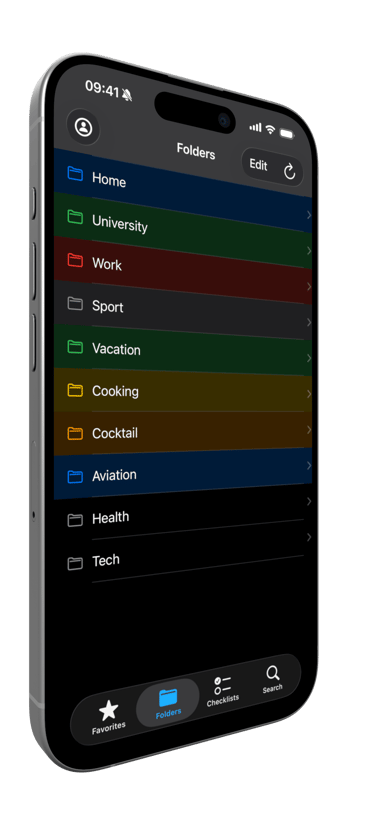
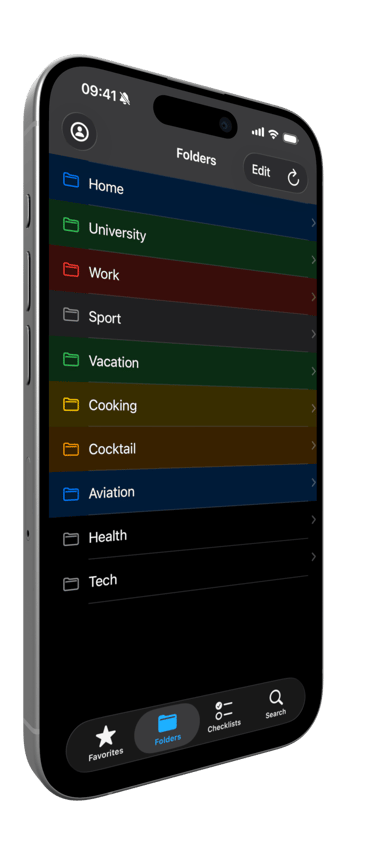
• Create folders to keep your checklists organized by context: Home, University, Work, Vacation, etc.
• Move checklists into folders from the checklist’s context menu (long-press the row or tap the ••• menu).
• Folders keep your main list clean and help you focus on what matters.
Creating and Structuring a Checklist

1. Create a new checklist from the Checklists tab or from a template in Search.
2. Add items and reorder them with drag-and-drop.
3. Use sub-items to break down complex tasks:
• Long-press an item or open its context menu to Add Sub-item.
• Sub-items appear under the parent item and can be checked off individually.
Conditions (Dependencies)

• Make one item depend on another with Add Condition.
• For example: “Take Umbrella” depends on “Is it raining?” → Yes.
• Conditional items only activate when their conditions are met, helping you keep lists relevant and uncluttered.
Duplicate and Delete

• Long-press an item or checklist to duplicate it for quick variations.
• Use Delete to remove items or whole checklists.
Completing and Resetting

• Check off items as you go. When you finish a checklist, you’ll see a satisfying completion screen.
• Need to start over? Use Reset Checklist from the checklist’s menu to uncheck all items.
• You can also reset multiple checklists from their row menus in the Checklists tab.

Reminders

yCheck supports multiple reminder types to keep you on track:• Time-based reminders: Set a date and time for a checklist.
• Repeating schedules: Configure Daily, Weekly, Monthly, or Yearly reminders.
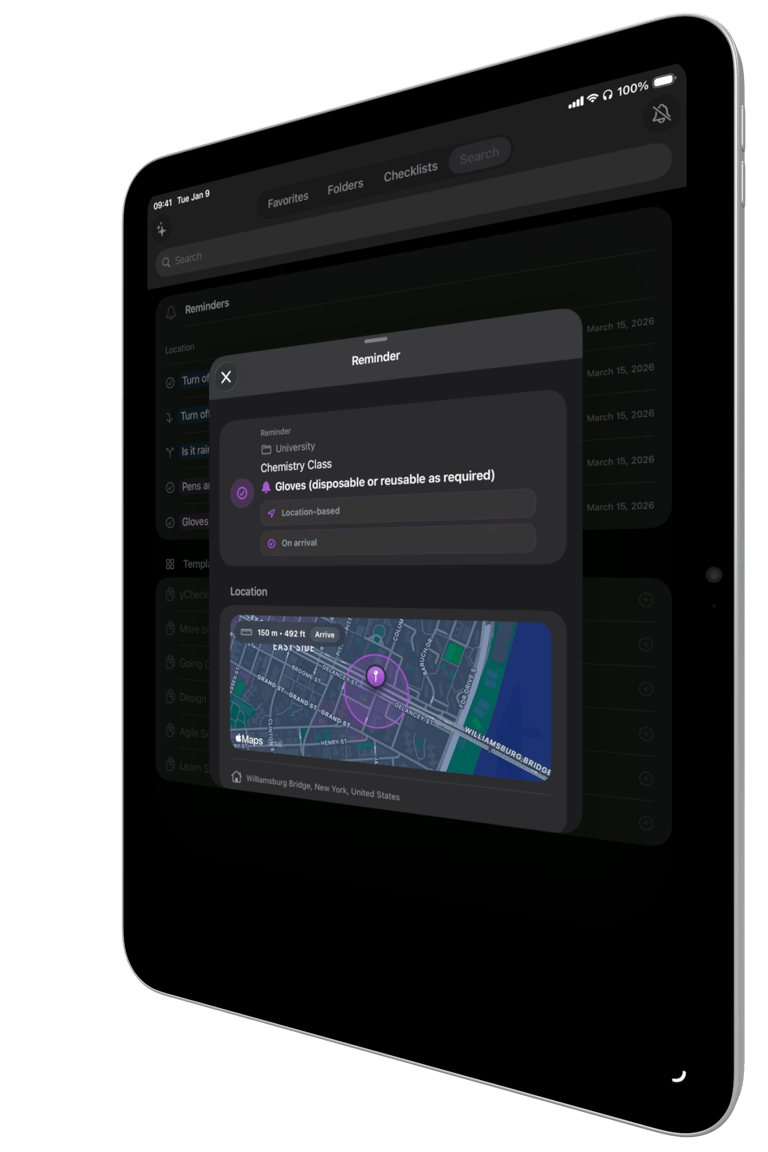
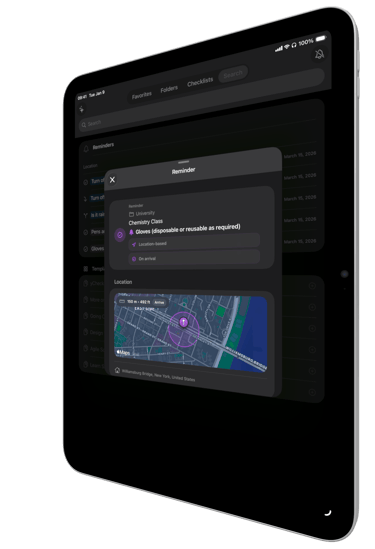
• Location-based reminders: Get notified when arriving at or leaving a specific place. Adjust the radius to fine-tune sensitivity.How to set a reminder:
1. From the Checklists list, open the context menu on a checklist (tap the ••• menu).
2. Tap Remind… and configure date/time, repeat options, and location if desired.
3. Save. You’ll see upcoming reminders in the Search tab under Reminders.Global reminder control:
• In Search, you’ll find a Reminders section.
• Tap the bell action to cancel all reminders across the app when needed (e.g., while traveling).

Search and Templates

• Use the Search tab to:
• Quickly find checklists, reminders, and content.
• Browse Templates to jump-start new checklists (e.g., “Design Thinking,” “Agile Scrum,” “Learn SMART,” “Going Out”).
• Add a template with a single tap, then customize it to your needs.
AI Assistant

Let the AI Assistant help you brainstorm and create checklists faster.• Open the AI Assistant from the Checklists or Search context (look for the sparkle/wand icon).
• Describe what you need: “Make me a list of places to visit in New York City.”
• The assistant will think, generate a structured checklist (with sections if relevant), and let you:
• Export the checklist directly into yCheck.
• Go to the new checklist and start using it immediately.
• Use the AI to refine, expand, or reorganize lists—great for trip planning, projects, learning goals, and more.

Account and iCloud Backup

• Access the Account screen to manage your plan, theme, notifications, and iCloud backup.
• iCloud Backup:
• Save to iCloud to keep your data safe.
• Restore from iCloud when switching devices or recovering data.
• Theme: Choose System, Light, or Dark to match your preference.
• Notifications: Toggle on/off if you need a break from reminders.
Premium Features
Unlock more power with Premium:
• AI Assistant to create and refine checklists.
• Unlimited checklists, folders, favorites, and sub-items.
• Unlimited conditions to create smart, adaptive lists.
• Advanced tools like removing duplicates and managing consequences.
• Priority features designed for heavy planners and power users.Manage subscription:
• From the Account screen, tap Manage subscription.
• Restore Purchases from the Paywall or Account if you’ve previously subscribed.
Privacy and Terms
• You can access Terms of Use (Apple EULA), Terms & Conditions, and Privacy Policy from the Paywall or Help & Legal sections.
• We value your privacy and provide clear options for data control, including iCloud backup.
iPhone

Minimum Compatibility: iOS 18.5 and later.
iPad

Minimum Compatibility: iPadOS 18.5 and later.
Mac

yCheck is not yet optimized for macOS. But it can run on Apple Silicon Macs.
Minimum Compatibility: macOS 15.5 and later.
Apple Vision Pro

yCheck is not yet optimized for visionOS. But it can run on Apple Vision Pro.
Minimum Compatibility: visionOS 2.5 and later.
SOON Apple Watch

yCheck is not yet compatible for watchOS. But the Apple Watch compatibility is our next objective.
1. Overview
• These Terms and Conditions (“Terms”) govern your use of the yCheck mobile application (the “App”) provided by [Meridian Synaps] (“we”, “us”, “our”).
• By downloading, installing, or using the App, you agree to be bound by these Terms. If you do not agree, do not use the App.2. Eligibility and Account
• You must be legally capable of entering into these Terms under the laws of your jurisdiction.
• Sign in with Apple (SIWA) may be required for certain features such as subscriptions or restoring purchases. You are responsible for maintaining the confidentiality of your device and Apple ID credentials.3. Subscriptions and Purchases
• yCheck offers optional auto-renewable subscriptions (“yCheck Pro Monthly” and “yCheck Pro Yearly”) to unlock premium features.
• Pricing: Prices are displayed in your local currency within the App and may vary by region. Taxes may apply. Prices are subject to change.
• Billing and Renewal: Subscriptions are billed through Apple’s App Store and will automatically renew unless canceled at least 24 hours before the end of the current period.
• Manage Subscription: You can manage or cancel your subscription at any time in your Apple ID account settings. If you cancel, your subscription remains active until the end of the current billing period.
• Refunds: All billing and refunds are handled by Apple. We do not process refunds directly. Please refer to Apple’s policies.4. Use of the App
• License: We grant you a personal, non-exclusive, non-transferable, revocable license to use the App for personal and lawful purposes in accordance with these Terms.
• Prohibited Activities: You agree not to (i) reverse engineer, decompile, or otherwise attempt to access the source code; (ii) use the App for any unlawful or harmful purpose; (iii) circumvent or disable security features; or (iv) infringe upon third-party rights.5. User Content and Data
• Your Content: Items, lists, favorites, and other data you create in the App remain yours. You are responsible for the accuracy and legality of your content.
• Storage and Sync: The App stores data locally on your device. If you enable iCloud backup/sync, your data may be stored in your iCloud account and is subject to Apple’s terms and privacy policies.
• Backups: You are responsible for maintaining backups of your data. We are not liable for data loss or corruption.6. Privacy
• Your privacy is important to us. Please review our Privacy Policy (https://ycheck.app#privacy) for information about how we handle your data, including Sign in with Apple, iCloud, and purchase-related information processed via StoreKit.
• By using the App, you acknowledge and agree to the practices described in our Privacy Policy.7. Intellectual Property
• The App, including all software, design, text, graphics, and trademarks, is owned by [Meridian Synaps] or its licensors and is protected by applicable laws. Except for the limited license in Section 4, no rights are granted to you.
• You may not use our name, logos, or trademarks without prior written permission, except as permitted by law.8. Third-Party Services
• The App may integrate with services provided by Apple (e.g., Sign in with Apple, StoreKit, iCloud). Your use of such services is subject to Apple’s terms and policies.
• We are not responsible for third-party services, their availability, or their practices.9. Disclaimer of Warranties
• The App is provided “as is” and “as available” without warranties of any kind, whether express or implied, including, but not limited to, implied warranties of merchantability, fitness for a particular purpose, and non-infringement.
• We do not warrant that the App will be error-free, uninterrupted, secure, or that defects will be corrected.10. Limitation of Liability
• To the fullest extent permitted by law, [Meridian Synaps] and its affiliates shall not be liable for any indirect, incidental, special, consequential, or punitive damages, or any loss of data, revenue, or profits arising from or related to your use of the App.
• In no event shall our total liability exceed the amount you paid (if any) for the subscription period during which the claim arose.11. Indemnification
• You agree to indemnify, defend, and hold harmless [Meridian Synaps], its affiliates, officers, employees, and agents from any claims, liabilities, damages, losses, and expenses (including reasonable attorney fees) arising out of or in any way connected with your use of the App, your content, or your violation of these Terms.12. Termination
• We may suspend or terminate your access to the App at any time, with or without cause, and without liability to you.
• Upon termination, your right to use the App ceases immediately. Sections that by their nature should survive termination shall survive (e.g., IP, disclaimers, limitations of liability).13. Changes to the App and Terms
• We may update or discontinue the App (in whole or in part) at any time without notice.
• We may modify these Terms from time to time. The “Last updated” date reflects the latest version. Your continued use of the App after changes constitutes acceptance of the updated Terms.14. Governing Law and Dispute Resolution
• These Terms are governed by the laws of [France] (without regard to its conflict of law provisions), unless local law requires otherwise.
• Any dispute arising from these Terms shall be subject to the exclusive jurisdiction of the courts of [Paris, France], unless local law requires otherwise.15. Contact
• For questions about these Terms, please contact us at:
• Email: [email protected]
• Website: https://ycheck.app
Last updated: [28 December 2025]1. Introduction
• yCheck (“we”, “our”, “us”) is committed to protecting your privacy. This Privacy Policy explains what data we collect, how we use it, and your rights.
• By using yCheck (the “App”), you agree to the practices described in this policy.2. Data We Collect
We aim to minimize the collection of personal data. Depending on your usage, the App may process the following:2.1 Account and Identity
• Sign in with Apple (SIWA): If you choose to sign in, Apple may share a user identifier and, optionally, your name and email address. We store only what is necessary to provide sign‑in and to sync your content if applicable.
• We do not create passwords nor store Apple credentials.2.2 App Content and Preferences
• Checklists, lists, items, favorites, and settings you create inside the App are stored locally on your device. If you enable sync/backup features (e.g., iCloud), your data may be stored in your iCloud account (see 3.1).
• We may store non‑identifying preferences (e.g., theme, notification settings).2.3 Purchases
• If you purchase a subscription via the App Store, Apple’s StoreKit processes the transaction. We may store non‑identifying purchase receipts or flags (e.g., “isPro”) to unlock premium features. We do not process card numbers or billing information.2.4 Diagnostics and Analytics (if enabled)
• We may collect anonymous, aggregated diagnostics (e.g., crash logs) to improve stability and performance. These do not identify you personally. You can disable analytics at the OS level if desired.3. How We Use Your Data 3.1 Provide and Improve the App
• To authenticate your session via SIWA.
• To sync or back up your data if you use iCloud (storage is tied to your Apple ID and subject to Apple’s iCloud Terms).
• To enable in‑app purchases and verify entitlements (e.g., subscription status via StoreKit).
• To improve features and fix issues.3.2 No Sale of Personal Data
• We do not sell your personal data.
• We do not share your personal data with third parties for advertising or profiling.4. Data Storage and Security
• Local Data: Your lists, items, and preferences are stored on your device. Removing the App may delete local data.
• iCloud (if used): Your data is stored in your iCloud account controlled by Apple. Apple’s security and retention policies apply.
• We use reasonable technical and organizational measures to protect data, but no method of transmission or storage is 100% secure.5. Third‑Party Services
• Apple Sign in with Apple (SIWA): Authentication is provided by Apple. We receive only the minimal data required (identifier, and optionally name/email).
• Apple StoreKit: Handles in‑app purchases and subscriptions. We verify receipts to determine entitlements.
• Apple iCloud: If you opt in to backup/sync, your data is stored in your iCloud account.6. Your Choices and Rights
• Access and Edit: You can access and edit your data within the App (e.g., update lists, favorites, name).
• Sign‑In Choices: You may sign in or sign out via SIWA at any time. Some features (e.g., purchases/restore across devices) may require sign‑in.
• Delete Data: You can delete content inside the App. Deleting the App removes local data from your device. Data in iCloud remains under your iCloud account until removed there.
• Notifications: You can enable/disable push notifications in the App or system settings.
• Analytics: You can disable analytics/crash sharing at the OS level.7. Children’s Privacy
• yCheck is not directed to children under the age required by local law to consent to personal data processing. If you believe we have collected data from a child in error, contact us and we will take appropriate steps.8. International Transfers
• We do not intentionally transfer your personal data outside the services used (Apple infrastructure). When using iCloud and StoreKit, Apple’s infrastructure and policies may involve international processing per Apple’s terms.9. Data Retention
• We retain only what is necessary to operate the App and fulfill purchases. Local data persists on your device until you delete it. iCloud data persists in your iCloud account until you remove it. Minimal purchase status/flags may be retained to honor your entitlements.10. Contact Us
• If you have questions about this Privacy Policy or your data, please contact:
• Email: [email protected]
• Website: https://ycheck.app11. Changes to This Policy
• We may update this Privacy Policy from time to time. The “Last updated” date indicates the latest revision. Continued use of the App after changes constitutes acceptance of the updated policy.Legal Notes and Apple Disclosures
• Sign in with Apple is a service provided by Apple Inc. Use of SIWA and iCloud is governed by Apple’s terms and privacy policies.
• In‑app purchases and subscriptions are processed by Apple’s App Store. Your billing information is handled by Apple, not by yCheck.